
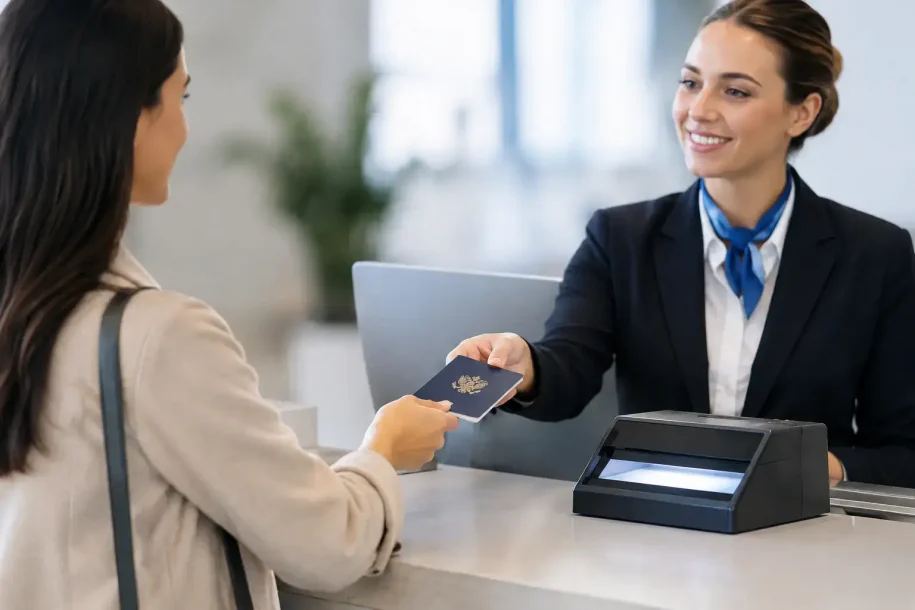
A guest arriving after a delayed flight does not want to spend the first ten minutes of their holiday typing passport details into a form. Nor should a host be chasing documents, copying information between booking channels and government portals, then wondering whether the record was submitted correctly. To automate guest passport capture is to remove that pressure without losing control of the information your business is required to collect.
For accommodation providers, passport capture is not simply a check-in convenience. In many locations, guest identity details must be recorded, retained for a prescribed period and submitted to the relevant authority. The exact fields, submission deadlines and document rules vary by country and municipality. That makes a reliable process more valuable than a generic online form.
What automated passport capture should do
A useful system does more than send guests a link to complete a form. It should collect the required guest and reservation details before arrival, validate entries where possible, associate the information with the correct booking, and prepare it for the required authority submission.
The best workflow starts when a booking is created or updated. Whether it comes from an online travel agency, a property-management system, a direct booking page, an iCal feed, API or webhook, the reservation should appear in one central dashboard. The guest then receives a clear, mobile-friendly request for the details needed for registration.
Where document scanning is supported, optical character recognition can extract information from a passport or identity document and pre-fill the form. The guest should always be able to review the extracted data before submitting it. This reduces typing errors while avoiding the awkward situation where an incorrectly read character becomes part of a compliance record.
The resulting data should be matched to the right property, dates and lead guest. From there, the platform should apply the reporting rules configured for that accommodation. Instead of keeping separate spreadsheets for each flat, owner or destination, teams can work from a single view of what has been collected, what is still missing and what has been submitted.
Why automate guest passport capture before check-in
The strongest reason is operational certainty. Manual collection relies on a host being available, a guest having their document to hand, and someone correctly entering every required field. That may be manageable for one booking a week. It becomes fragile when a manager handles late arrivals, back-to-back stays and properties in different areas.
Pre-arrival collection gives guests time to complete the process in private, on their own device. It also gives the host time to follow up on incomplete records before the arrival date. Check-in can then focus on access, property information and a positive welcome rather than paperwork.
Automation also creates a more consistent audit trail. You can see when a request was sent, whether the guest completed it and whether mandatory registration data reached the authority. If an owner, local inspector or internal compliance lead needs an answer, the record is not hidden in a message thread or a handwritten guest book.
There is a commercial benefit too. Fewer manual tasks mean fewer hours spent reconciling bookings and guest details. For professional managers, that saving compounds across every property. For an independent host, it means less administration after work and fewer stressful arrival-day interruptions.
Build a process guests will actually complete
Compliance depends on guest participation, so the request must be straightforward. Explain why the information is needed, which details are mandatory and when they should be supplied. A short, branded message is more effective than a vague demand for identification.
Send the request soon after confirmation, rather than waiting until the day before arrival. A reminder can be sent if the form remains incomplete. Timing matters: guests are most responsive when they are still organising their trip, but repeated reminders should stop once the information has been submitted.
Keep the form limited to what the applicable regulation requires. Asking for unnecessary fields creates friction and increases your data-protection responsibility. In some jurisdictions, you may need document details but not a stored document image. In others, local rules may require a particular type of identity record. Your workflow must reflect the rules for the property location, not assumptions imported from another market.
For group bookings, make it clear whether every traveller must provide information or whether the lead guest can complete part of the record. This is a common source of incomplete registration. The platform should identify missing guests without making the host manually count names against passports.
Protect passport data by design
Passport information is highly sensitive personal data. Automating collection does not reduce your obligations under UK GDPR or, where applicable, EU GDPR. It raises the standard for how carefully the process must be designed.
Use a platform that encrypts data in transit and at rest, provides controlled access for staff and owners, and records relevant activity. Strong encryption, such as 2048-bit certificate protection for secure communications, is part of the foundation. Equally important are role-based permissions: a cleaner or maintenance contractor should not need access to guest identity details simply because they have access to a property calendar.
Retention needs the same attention. Compliance rules may require guest-book records to be archived for three to five years, depending on the jurisdiction. Build that period into the system, then ensure data is securely removed or anonymised when there is no lawful reason to keep it. Avoid downloading passport files onto personal devices or forwarding them through ordinary email and messaging apps.
A clear privacy notice should tell guests what data you collect, the legal basis for processing, who receives it and how long it is retained. Do not present consent as the basis for data collection where the processing is necessary to meet a legal obligation. The correct legal basis depends on the circumstances, so obtain appropriate professional advice for your operation.
Connect capture to the full compliance workflow
Passport capture on its own can still leave the most time-consuming work untouched. If your team must export details, re-enter them into a government portal and then archive a separate guest book, the process is only partly automated.
Look for a workflow that carries data from booking intake through to registration and scheduled submission. The system should support the correct authority format, flag missing mandatory fields and retain an auditable record of submitted information. A real-time dashboard is particularly useful for managers overseeing multiple properties and owners: it shows exceptions early rather than after a reporting deadline has passed.
Integration depth matters. A lightweight iCal connection may be sufficient for a single host with a few bookings. A management company processing high volumes will usually need direct PMS connections, APIs or webhooks so cancellations, date changes and guest updates are reflected automatically. The right choice depends on your portfolio, booking sources and local reporting obligations.
Digital certificates can also be essential where authorities require authenticated submissions. Make sure certificate handling is supported and monitored, including expiry dates. An automated workflow is only dependable if it can continue to submit records when regulations, credentials or channel data change.
A practical rollout for hosts and managers
Start with one property or a defined group of bookings. Map where reservations currently enter your business, what guest information is required and which authority receives it. This reveals gaps such as direct bookings that never reach the same process as OTA reservations.
Next, configure the guest request, property details and reporting schedule. Test the full journey using a sample reservation: booking received, request sent, form completed, record checked, submission prepared and archive created. Test changes too, including a cancelled stay and a date amendment. These are the points where disconnected systems often fail.
Then train the people who need visibility. Hosts should know how to check missing information. Operations staff should know how to resolve an exception. Owners should receive only the access and reporting they need. A good provider can guide this setup quickly – GuestAdmin is designed to onboard properties within 24 hours, with no installs and no technical expertise required for standard workflows.
Finally, review completion rates after the first few weeks. If guests are abandoning the form, improve the wording, timing or number of requested fields. If staff are still doing manual re-entry, investigate whether an integration or reporting configuration is missing. Automation should reduce exceptions over time, not merely move them to another screen.
A well-run passport capture process is almost invisible to the guest and highly visible to the host when action is needed. Set it up around your actual reporting duties, protect the data as carefully as you protect access to the property, and let the routine work happen before the guest reaches the door.