
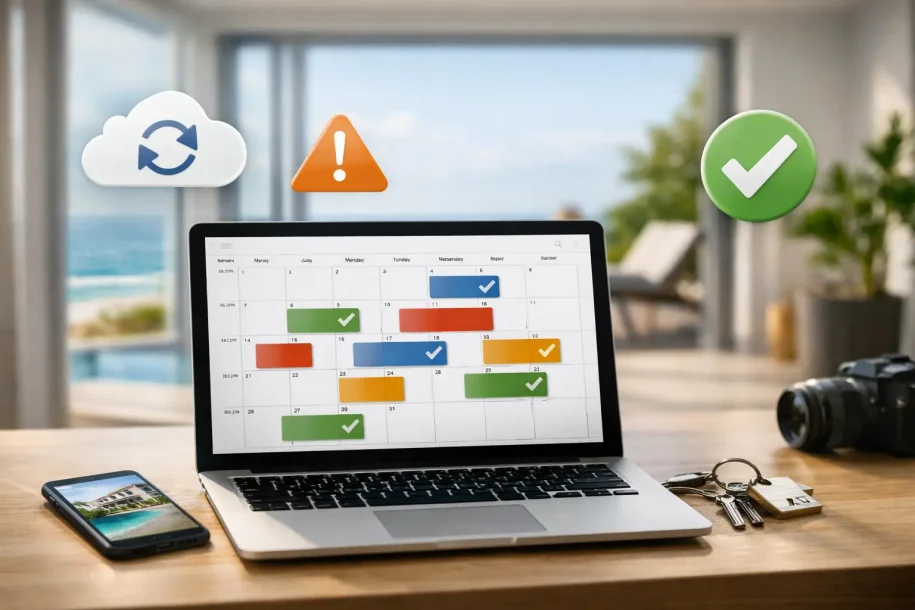
A calendar mismatch can cost more than a cancelled stay. When the same property is listed across several booking channels, one late update can create a double booking, an unhappy guest and hours of avoidable administration. Knowing how to connect rental iCal feeds gives you a practical way to keep availability aligned without manually blocking dates in every channel.
For many independent hosts, iCal is the simplest starting point. For property managers, it can also be a useful safety net while more advanced integrations are being configured. The key is understanding what iCal does well, where its limits sit and how it fits into a reliable guest-registration workflow.
What a rental iCal connection actually does
iCal, sometimes called an ICS calendar feed, is a standard format for sharing calendar events between systems. Holiday rental platforms and property-management tools commonly let you export a booking calendar as a private URL, then import another platform’s calendar URL into your own listing.
Once connected, each platform periodically reads the other calendar and adds occupied dates as blocked dates. If a guest books on one channel, the corresponding dates should become unavailable on the other connected channels after the next refresh.
That distinction matters: iCal normally shares availability, not the complete reservation record. It may show the stay dates, but it will not reliably transfer the guest’s full name, contact details, occupancy details, pricing, nationality or the information required for statutory guest reporting. Treat it as a calendar synchronisation method, not as a complete booking or compliance integration.
How to connect rental iCal feeds step by step
The exact menu labels vary between channels, but the process follows the same pattern. Before starting, make a list of every listing that represents the same physical accommodation. Include duplicate listings, seasonal listings and units that share part of their availability, such as a house and its separately rentable rooms.
1. Find the calendar export on the source channel
Open the calendar or availability settings for the listing where bookings already arrive. Look for wording such as “export calendar”, “share calendar”, “iCal link” or “ICS URL”. Copy the private calendar address provided by that platform.
Do not post this URL publicly or share it with people who do not need access. While it is not usually a login credential, it can expose booking patterns and dates. Store it in your approved operating records and give access only to relevant team members.
Name the feed clearly as you copy it. For example, use “Coastal Cottage – Channel A export” rather than “calendar link”. Clear naming prevents a common error: importing the wrong property’s feed and blocking dates at another listing.
2. Import that feed into the destination channel
Go to the calendar settings for the same property on the second channel. Choose the option to import or add an external calendar, paste the exported iCal URL, and add a descriptive name.
Save the connection and check that the imported calendar appears in the destination calendar view. Some systems show an immediate preview of future blocked dates, while others take a few minutes to process the feed. If no events appear, confirm that you copied the full URL and that the original listing has confirmed bookings to display.
3. Repeat the connection in the opposite direction
A reliable set-up is usually two-way. Export the calendar from the second channel, then import it back into the first channel. This allows bookings made on either channel to block availability on the other.
If you manage three channels, each calendar must receive the feeds from the other relevant calendars. That can become difficult to maintain as your portfolio grows. A central property-management system may be the better source of truth, with each booking channel connected to it, rather than creating a web of direct channel-to-channel imports.
4. Check the imported dates and refresh settings
Compare several existing bookings across all calendars. Check arrival date, departure date and whether the departure day has been released correctly for a same-day turnover. A calendar that blocks one extra night can quietly reduce occupancy; one that frees a night too early can create a conflict.
Where the platform offers a refresh frequency, select the shortest sensible interval. Many channels control this timing themselves, so updates may take from a few minutes to several hours. iCal is not real-time, which is why you should avoid assuming a newly made booking is immediately protected everywhere.
5. Record the connection and its owner
For one property, a simple note may be enough. For a managed portfolio, record the listing name, source platform, destination platform, feed name, date connected and the person responsible for checking it. This creates accountability when a listing is changed, an owner takes back control, or a platform regenerates its calendar URL.
Test the connection before relying on it
Do not wait for a peak-season booking to discover that an import failed. Test each new connection using a short temporary block, if the channel allows it, or by observing the next genuine booking. Confirm that the dates appear on every connected calendar and that removing a block is also reflected correctly.
Then test changes that often cause errors: a booking extension, a shortened stay, a cancellation and a same-day changeover. Imported events can take time to disappear after a cancellation, so keep an eye on availability before reopening those dates for sale.
Set a recurring operational check as well. Weekly checks suit a single property with low booking volume. Managers with frequent reservations should review calendar exceptions daily, particularly for properties sold on several channels or during high-demand periods.
Avoid the gaps that cause double bookings
The most common mistake is trusting iCal to solve every availability problem. It is useful, but it has practical limits. The feed refreshes on a schedule, channels may interpret check-in and check-out dates differently, and an outage at either platform can delay updates.
Reduce the risk by keeping a sensible booking buffer where your business model allows it. A short lead-time restriction on last-minute bookings can be safer than selling the same night across every channel when calendar updates are delayed. The right buffer depends on your demand, cancellation policy, check-in operations and tolerance for manual intervention.
Also check that each listing uses the correct time zone and availability rules. A property near a time-zone boundary, or a channel configured differently from your local operating time, can show unexpected blocks. If you rent a whole house alongside individual rooms, make sure the calendars reflect the relationship between those units. A reservation for the house must block every room, while a room booking may need to block the whole-house listing.
Finally, never edit availability casually in just one place. Decide which system is the operational source of truth and train everyone who manages bookings to use it consistently.
iCal versus API connections: choose for the job
iCal is a sensible option when you need a quick, low-technical way to share availability between a small number of channels. It is widely supported, inexpensive and straightforward to set up. For a host with two listings, it may be entirely sufficient when paired with regular checks.
API, webhook and property-management system connections are better suited to faster-moving or larger operations. They can transfer richer booking data, update closer to real time and reduce the need for manual reconciliation. They are particularly valuable where multiple staff members, owners, booking sites and pricing tools all work from the same portfolio.
The trade-off is that advanced connections need more structured set-up, field mapping and testing. They also need clear responsibility when a provider changes its integration. The best choice is not always the most technical one. It is the one that gives your operation accurate availability and usable reservation data with a process your team can maintain.
Keep calendar sync separate from compliance data
Blocking dates is only one part of managing a rental. Guest-registration requirements often demand data that an iCal feed does not contain, and authorities may require submission within specific deadlines. Relying on calendar events alone can leave you with occupied dates but no complete guest record, no verified registration status and no audit trail.
Build a separate path for collecting reservation and guest information from your direct booking forms, OTAs, property-management system, APIs or webhooks. A compliance platform such as GuestAdmin can centralise those sources, create secure guest-book records and schedule required authority submissions, while iCal continues to support availability control where appropriate.
This separation gives you a clearer view of what has happened: the calendar confirms a stay is blocked, while your compliance workflow confirms that the required data has been collected, checked, submitted and archived. If an iCal event arrives without enough information to process a registration, treat it as a prompt to obtain the missing details rather than as a completed record.
A well-connected calendar should make your day quieter, not create another system to chase. Start with one property, test every booking scenario, and only then roll the process across the rest of your portfolio.