

TL;DR:
- Automating guest data reporting links your PMS to a platform that automatically collects, verifies, and submits guest details to authorities, ensuring compliance.
- Proper setup requires confirming API access, mapping essential data fields, and configuring triggers for reservation and check-in, with ongoing monitoring for errors.
Automating guest data reporting is the process of linking your property management system (PMS) to a reporting platform that automatically collects, verifies, and submits guest details to authorities without manual intervention. For short-term rental managers operating across Europe, this is no longer optional. Regulations like Spain’s SES.Hospedajes and Portugal’s SEF SIBA require timely, accurate submissions. Tools such as ChargeAutomation, SEFScan, and Guestadmin now make it possible to automate guest data collection end to end, replacing spreadsheets and manual portal logins with trigger-based workflows.
How to automate guest data reporting: what you need first
Before you configure a single workflow, you need the right foundations in place. Skipping this step is the most common reason automation projects stall after setup.
Confirm your PMS has API access
API availability is the single most critical prerequisite for guest data automation. Without it, your booking system cannot talk to your reporting tool, and every data transfer defaults back to manual. Confirming API compatibility before selecting any tool saves weeks of wasted configuration. Popular PMS platforms such as Guesty, Hostaway, and Lodgify all offer API access, but the depth of that access varies by plan tier.

Know which guest data fields you must collect
Regulatory requirements across Europe typically demand the following from each guest:
- Full legal name and date of birth
- Nationality and document type (passport, national ID)
- Document number and expiry date
- Arrival and departure dates
- Country of residence
These fields must map directly to the data fields in your reporting tool. If your booking form does not capture document numbers at the point of reservation, your automation will hit a gap at the verification stage.
Compare the leading guest data reporting tools
The table below compares three widely used tools for automated guest data submission:
| Tool | Core function | Authority integration | ID verification |
|---|---|---|---|
| Guestadmin | End-to-end compliance automation for European STRs | Multiple EU authorities | AI-powered, GDPR-compliant |
| ChargeAutomation | Guest data collection and authority reporting | Spain SES.Hospedajes and others | Selfie-based ID verification |
| SEFScan | Online check-in with document scanning | Portugal SEF SIBA | Real-time document scan |
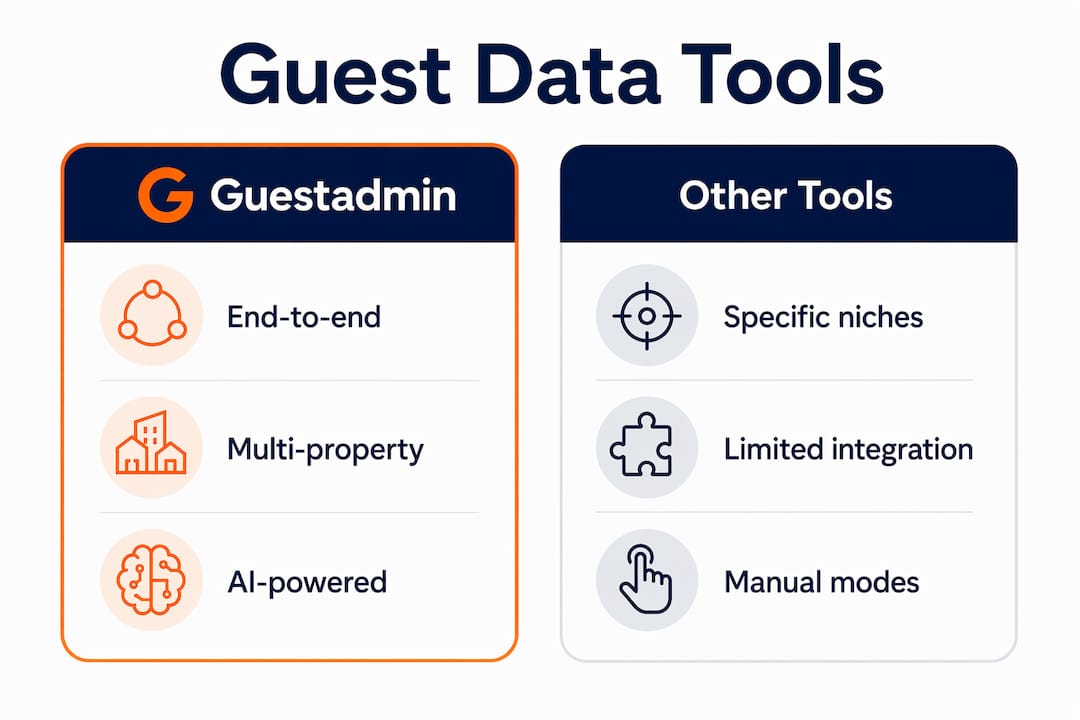
Each tool targets a slightly different use case. Guestadmin is built for multi-property managers operating across several European jurisdictions. ChargeAutomation focuses on guest compliance reporting with strong Spanish market coverage. SEFScan specialises in Portuguese compliance with a guest-facing scan flow.
Pro Tip: Request a sandbox or trial environment from any vendor before committing. Testing with real booking data in a non-live environment reveals integration gaps that demo videos never show.
How do you set up automated guest data reporting step by step?
Once your prerequisites are confirmed, the setup follows a logical sequence. Each step builds on the last, so completing them in order prevents rework.
-
Map your data flow. Draw out the path guest data takes from booking confirmation through to authority submission. Identify every system it touches: your OTA (Airbnb, Booking.com), your PMS, your reporting tool, and the government portal. This map becomes your troubleshooting reference later.
-
Configure booking triggers. A trigger-based setup connects your booking engine and PMS to your reporting tool so guest data is sent automatically upon reservation or check-in. Set two triggers: one at booking confirmation to capture reservation details, and one at check-in to capture verified ID data.
-
Set up the API or webhook connection. In your PMS settings, locate the API or webhook section and generate an access token. Enter this token in your reporting tool’s integration panel. Test the connection by creating a dummy booking and confirming the data appears in the reporting tool within the expected timeframe.
-
Configure ID verification. Tools like ChargeAutomation send guests a secure link to upload their ID and complete a selfie verification before arrival. SEFScan reduces manual data entry by 90% through real-time document scanning during online check-in. Configure the guest-facing flow so it triggers automatically after booking confirmation.
-
Schedule or trigger report generation. Set your reporting tool to generate and submit compliance reports either on a schedule (daily at midnight, for example) or immediately upon check-in. Align submission timing with the legal deadline for your jurisdiction. Spain requires submission within 24 hours of check-in; other countries vary.
-
Automate report distribution and delivery tracking. Scheduled report delivery can include branded email notifications and owner portal alerts. Set an alert to flag any report that remains unconfirmed by the authority portal within five days. This creates an automatic audit trail without manual checking.
Pro Tip: Run your first three automated submissions in parallel with your existing manual process. Compare outputs side by side. This confirms accuracy before you fully switch off the manual workflow.
What are the most common mistakes in guest data automation?
Automation reduces errors, but it does not eliminate them. The mistakes that cause the most compliance risk tend to cluster around three areas.
Integration failures from incompatible API versions are the leading cause of broken data flows. API version mismatches between your PMS and reporting tool cause silent failures where data appears to transfer but arrives incomplete or malformed. Always check that both systems are running compatible API versions, and subscribe to update notifications from both vendors.
Missing or incorrect guest data is the second major risk. If a guest skips a required field during online check-in, the automated report will either fail validation or submit with a blank field. Build mandatory field validation into your guest-facing form so the booking cannot complete without all required data. Tools like Guestadmin flag incomplete records before submission rather than after.
Here are the key monitoring and security practices to maintain once your automation is live:
- Review your automated workflow logs weekly for failed submissions or data errors
- Set up real-time alerts for any submission that does not receive an authority confirmation
- Restrict access to guest data to authorised team members only, in line with GDPR requirements
- Store guest records in encrypted, GDPR-compliant storage and set automatic deletion schedules
- Conduct a full audit of your data flows every quarter to catch any changes in authority portal requirements
Pro Tip: Regulations change. Spain’s SES.Hospedajes updated its submission format in 2023. Subscribe to official government update channels for every jurisdiction you operate in, and assign one team member to monitor these updates monthly.
How does automated reporting improve compliance and efficiency?
The efficiency gains from automating guest data submission are measurable and significant. Property owners can reduce manual reporting time by up to 70% by deploying API-based automation with booking confirmation and check-in triggers. That figure represents hours returned to your team every week, hours that previously went to copying data between portals and chasing missing guest documents.
The compliance benefits are equally concrete. ChargeAutomation’s approach to legal guest compliance shows how contactless data submission reduces the risk of fines while improving the guest experience at check-in. Guests complete ID verification on their own device before arrival, which removes the awkward document-checking moment at the door and speeds up the check-in process for everyone.
“Automation does not just save time. It removes the human error that causes compliance failures. A missed submission or a transposed passport number carries real financial and legal consequences in most European jurisdictions.”
For managers running multi-property bookings, the operational impact compounds quickly. A manager overseeing ten properties across two countries might previously spend three to four days per month on manual reporting. With a fully automated workflow, that same task runs in the background without any manual input. The freed capacity goes directly into guest communication, property maintenance, and revenue management.
Guestadmin processes submissions within 24 hours using AI-powered data handling, which means compliance deadlines are met consistently regardless of booking volume or staff availability.
Key takeaways
Automating guest data reporting requires API-connected systems, trigger-based workflows, and ongoing monitoring to deliver reliable compliance across European short-term rental jurisdictions.
| Point | Details |
|---|---|
| Confirm API access first | Check your PMS supports API or webhook connections before selecting any reporting tool. |
| Use booking triggers | Set triggers at reservation and check-in to send guest data automatically without manual input. |
| Validate data at source | Require mandatory fields in guest-facing forms to prevent incomplete submissions reaching authorities. |
| Monitor workflows regularly | Review submission logs weekly and set alerts for unconfirmed reports to catch failures early. |
| Automate for compliance and efficiency | Automation cuts manual reporting time by up to 70% and reduces the risk of regulatory fines. |
Why i think most property managers automate too late
I have seen the same pattern repeat across dozens of property management operations. Managers know they should automate guest data reporting. They have heard about the tools. They have even bookmarked a few vendor pages. But they keep running the manual process because it is familiar, and the pain has not yet become acute enough to force a change.
Then a regulatory deadline is missed. Or a staff member leaves and takes the institutional knowledge of the manual process with them. Or the portfolio grows from three properties to twelve, and the manual workload simply breaks.
The vendors I have seen perform best in this space, including Guestadmin, share one trait: they make the onboarding process fast enough that there is no excuse to delay. A pilot test on a single property takes less than a week in most cases. The API check, the trigger configuration, the guest-facing ID flow. None of it requires a developer or a lengthy IT project.
My honest advice is to treat the API compatibility check as your first action, not your last. If your PMS cannot support it, that is the conversation to have with your PMS vendor today, not after your next compliance audit. And once you are live, do not assume the automation is running correctly. Check the logs. Regulations update, API versions change, and a silent failure in an automated workflow is far more dangerous than a visible manual error.
Automation frees you to focus on what actually drives guest satisfaction. That is the real return on the investment.
— Alex
See how Guestadmin handles guest data compliance for you
Managing guest data compliance across multiple European properties is complex. Guestadmin removes that complexity by connecting directly to your existing PMS and OTA platforms, capturing guest data automatically, and submitting it to the relevant authorities within 24 hours.
Whether you manage two properties or two hundred, Guestadmin’s AI-powered platform handles ID verification, GDPR-compliant data storage, and real-time submission tracking without manual input. You can explore a property management software comparison to see how Guestadmin stacks up against other tools in 2026, or book a demo to see the platform working with your specific property setup. For managers ready to automate guest management and meet compliance deadlines without the administrative burden, Guestadmin is the direct solution.
FAQ
What is automated guest data reporting?
Automated guest data reporting is the process of using software to collect, verify, and submit guest information to government authorities without manual data entry. It connects your PMS and booking platforms to compliance tools via API or webhook triggers.
Why automate guest data submission instead of doing it manually?
Manual reporting takes three to four days per month and carries a high risk of errors and missed deadlines. Automation reduces that time by up to 70% and submits data in real time upon booking or check-in.
Which tools support automated guest data submission in europe?
Guestadmin, ChargeAutomation, and SEFScan are three established tools for automated guest data submission in Europe. Each integrates with major PMS platforms and submits directly to local authority portals.
How do i know if my PMS supports automation?
Check whether your PMS offers an API or webhook functionality in its settings or developer documentation. If API access is unavailable on your current plan, contact your PMS provider to confirm upgrade options before selecting a reporting tool.
Is automated guest data reporting GDPR compliant?
Yes, provided you use a platform that stores data in encrypted, GDPR-compliant infrastructure and applies automatic deletion schedules. Guestadmin is built to meet GDPR requirements, with access controls and secure data handling built into its core architecture.
One Comment
How to archive guest data safely: a 2026 guide
[…] How to automate guest data reporting in 2026 […]