

Managing short-term rentals across Europe means facing a maze of guest data rules for France, Germany, Spain, and Italy. Every property manager knows the stress of coordinating these compliance tasks whilst juggling guest arrivals and ever-changing local requirements. With so many authorities and platforms involved, establishing a single, controlled entry point backed by automation is crucial for staying organised and secure. This guide walks you through the core steps to capturing, protecting, submitting, and archiving guest data—without costly mistakes or overlooked obligations.
Table of Contents
- Step 1: Set Up Guest Data Capture and Secure Storage
- Step 2: Integrate Booking Platforms and Activate Automation
- Step 3: Process and Submit Guest Data to Authorities
- Step 4: Verify Submissions and Archive Compliance Records
Quick Summary
| Key Point | Explanation |
|---|---|
| 1. Define Required Guest Data | Only collect data mandated by local regulations in each jurisdiction to ensure compliance and protect guest privacy. |
| 2. Centralise Data Capture Method | Use a single, integrated tool for data collection to prevent errors and streamline the guest onboarding process. |
| 3. Automate Data Integration | Connect booking platforms to compliance workflows to eliminate manual entry and reduce data submission errors. |
| 4. Verify and Archive Submissions | Confirm that submitted data is received and accepted by authorities; maintain detailed records to ensure accountability. |
| 5. Schedule Data Deletion | Establish a routine for deleting guest data after the legal retention period to avoid unnecessary security risks. |
Step 1: Set Up Guest Data Capture and Secure Storage
You’re about to establish the foundation for compliant guest management. This step involves configuring where and how your property system captures guest information, then securing it properly against unauthorised access.
Start by identifying what guest data you actually need. Don’t collect everything"just in case." Stick to information required by local regulations in each jurisdiction where your properties operate. In France, you might need guest names and passport details. In Germany, you’ll need different identifiers. Capture only what each location mandates.
Next, choose your data capture method. Most property managers use forms integrated with their booking platform or a dedicated guest onboarding portal. The key is ensuring all data flows through a single, controlled entry point rather than scattered emails and documents.
When setting up forms, implement input validation and secure processing to prevent errors and malicious entries. Require guests to provide accurate information upfront, which reduces corrections later and maintains data integrity.
For storage, encryption is non-negotiable. You must encrypt guest data both in transit (using TLS when data travels between systems) and at rest (when stored on servers). This protects information if your systems are compromised.
Approve your storage locations explicitly. Many property managers use cloud providers that comply with European data protection laws. Document where each guest’s information lives. Then establish automatic backups of encrypted data in separate, secure locations.
Finally, plan your data deletion schedule. Don’t keep guest records indefinitely. Set reminders to delete information once the legal retention period expires. Unnecessary copies become security vulnerabilities.
Here’s what your setup checklist looks like:
- Define minimum required data fields per jurisdiction
- Select a primary capture tool (form or portal)
- Enable encryption for data in transit and at rest
- Designate approved storage locations
- Configure automated backups
- Schedule automatic deletion of expired records
Secure data capture prevents compliance headaches and protects guest privacy from day one.
Pro tip: Test your capture process with a real guest before going live. You’ll spot awkward questions, missing fields, or technical issues before they affect actual bookings.
Step 2: Integrate Booking Platforms and Activate Automation
You’re now ready to connect your booking systems so compliance happens automatically. This step links your property management system (PMS) or online travel agency (OTA) directly to your compliance workflow, eliminating manual data entry.
Start by identifying which booking platforms you use. Most property managers work with Airbnb, Booking.com, Vrbo, or their own PMS. Each platform holds guest information you need for regulatory submissions. The goal is pulling that data automatically rather than exporting spreadsheets and re-entering details manually.
Next, check whether your compliance platform offers direct integrations with your booking system. Many modern solutions connect via API or webhook, meaning data flows instantly when a booking is confirmed. This removes the “forgot to submit guest details” problem entirely.
If direct integration isn’t available, use data synchronisation tools. These bridge the gap between your booking platform and compliance system by automating data transfers on a schedule you set. You might sync every 4 hours or every evening, depending on your booking volume.
Once connected, test the integration thoroughly. Make a test booking and watch the guest data flow through. Verify that names, addresses, and identification details arrive correctly. Check that no information is missing or corrupted.
Then activate your automation rules. These are the instructions that tell your system what to do with incoming guest data. Common rules include:
- Automatically validate guest information against local requirements
- Flag incomplete submissions for manual review
- Schedule compliance reports for submission on specific dates
- Send confirmation emails to guests when their data is submitted
Streamlined automation in compliance workflows enables continuous monitoring and reduces manual work. Your system now handles repetitive tasks whilst you focus on guest experience.
Finally, monitor your integration logs daily for the first week. Look for error messages or failed data transfers. Early detection prevents compliance deadlines from being missed.
Automation transforms compliance from a weekly chore into a background process that runs seamlessly.
Pro tip: Set up automated alerts so you’re notified immediately if a booking fails to sync or guest data is incomplete, rather than discovering problems when the submission deadline arrives.
Below is a comparison of manual versus automated compliance processes:
| Aspect | Manual Process | Automated Process |
|---|---|---|
| Data Entry | Staff inputs guest details | Data flows from booking system |
| Error Risk | High risk of missed info | Reduced through rule checks |
| Submission Proof | Must track emails/documents manually | System archives confirmations |
| Audit Readiness | Relies on staff organisation | Instant access to records |
Step 3: Process and Submit Guest Data to Authorities
You’re approaching the critical moment where guest data moves from your systems to government authorities. This step ensures your submissions are accurate, timely, and legally compliant across all your jurisdictions.
Begin by verifying you have a lawful basis for processing and sharing each guest’s information. In most European jurisdictions, regulatory compliance is that lawful basis. However, understand that sharing guest information requires proper legal grounds, typically a government request or regulatory requirement rather than voluntary disclosure. This distinction matters for your compliance posture.
Next, review your submission requirements by location. Spain requires guest data within 24 hours of arrival. France needs copies of identification documents. Italy has different retention rules. Create a jurisdiction checklist so you know exactly what each authority expects and when.
Here’s how EU guest data requirements differ by country:
| Country | Data Required | Submission Deadline | Notable Rule |
|---|---|---|---|
| France | Name, passport/ID copy | Varies, often on check-in | Identification document must be archived |
| Germany | Guest identity details, address | Usually at check-in | Local police may request record |
| Spain | Name, document number, arrival date | Within 24 hours of arrival | Data sent to local authority |
| Italy | Personal details, address, ID | Varies by region | Retention period strictly enforced |
Prepare your data package before submission. Verify that guest names match identification documents, addresses are complete, and booking dates are correct. Run automated validation checks to catch errors before they reach authorities. Missing or incorrect data triggers rejection, creating delays and paperwork headaches.
Then submit through the proper channels. Most jurisdictions now offer online portals, APIs, or email submission systems. Use the official method for each location rather than inventing alternatives. This creates an audit trail proving timely submission.
Your submission workflow should include:
- Validation of guest data against local requirements
- Confirmation that identification details match booking records
- Scheduling submissions for the correct deadline
- Archiving submission confirmations for audit purposes
- Tracking which guests have been reported to which authorities
After submission, keep detailed records. Document when you submitted data, which authority received it, and what confirmation you obtained. These records protect you if authorities later question your compliance.
GDPR compliance requirements also apply to data sharing, meaning you must maintain transparency about why you’re collecting and processing guest information. Your privacy policy should explain how data flows to authorities.
Proper submission isn’t just about hitting deadlines; it’s about creating an auditable record of your compliance efforts.
Pro tip: Automate your submission schedule so reports go to authorities on the same day every week, rather than scrambling to remember different deadline dates across multiple jurisdictions.
Step 4: Verify Submissions and Archive Compliance Records
You’ve submitted guest data to authorities, but the work isn’t finished. This step ensures your submissions actually arrived, creates an auditable record, and protects you during inspections.

Start by checking submission confirmations from each authority. Most government portals send automated receipts showing your data was received and processed. Download these confirmations immediately and store them securely. They’re your proof of compliance if questions arise later.
If you didn’t receive a confirmation, follow up within 48 hours. Contact the authority to verify receipt. Sometimes submissions fail silently due to format errors or system issues. Early detection prevents compliance failures from going unnoticed.
Next, verify the data authorities actually accepted. Some systems process submissions in phases. Your data might be received but flagged for missing information. Review any rejection notices or requests for additional documentation. Resubmit corrections promptly.
Then archive everything systematically. Create a compliance record for each submission that includes:
- Guest names and identification numbers
- Submission date and time
- Authority contact and destination
- Confirmation receipt or reference number
- Any corrections or resubmissions
- Retention deadline for that guest’s data
Organise records by property, jurisdiction, and date. This structure helps during audits when inspectors ask “Did you report this guest to the Spanish authorities?”
Records management systems provide internationally accepted standards for maintaining compliance evidence with proper governance and verifiable retention. Implement controls ensuring records cannot be altered after submission and remain accessible for the required period.
Use your compliance platform’s archiving features if available. Automated systems create timestamped records that are nearly impossible to tamper with. Manual spreadsheets offer no such protection.
Finally, schedule quarterly reviews of your archive. Check that old records are being deleted on schedule and new submissions are being stored correctly. This preventative approach catches problems before authorities do.
Verification transforms submissions from hopeful gestures into documented compliance actions.
Pro tip: Create a calendar alert for 90 days after submission asking you to verify the confirmation still exists in your records, catching archiving issues before an inspection reveals them.
Streamline Your Property Compliance with GuestAdmin.io
Mastering the complex compliance workflow for property managers requires more than just effort—it demands precision, security and automation. If you find yourself overwhelmed by the need to capture guest data accurately, integrate multiple booking platforms, and submit information on time to diverse authorities across Europe, you are not alone. Key challenges from the article like ensuring encrypted data storage, automating error-free submissions within 24 hours and maintaining auditable records can turn into costly risks without the right tools.
GuestAdmin.io transforms these pain points into seamless workflows by offering a dedicated SaaS platform built specifically for hospitality professionals managing short-term rentals. With features including real-time booking dashboards, secure multi-jurisdiction data processing and direct integration with popular PMS and OTA systems, GuestAdmin.io helps you automate guest data capture and compliance tasks easily. You gain peace of mind knowing your submissions meet local regulations consistently while reducing administrative strain.
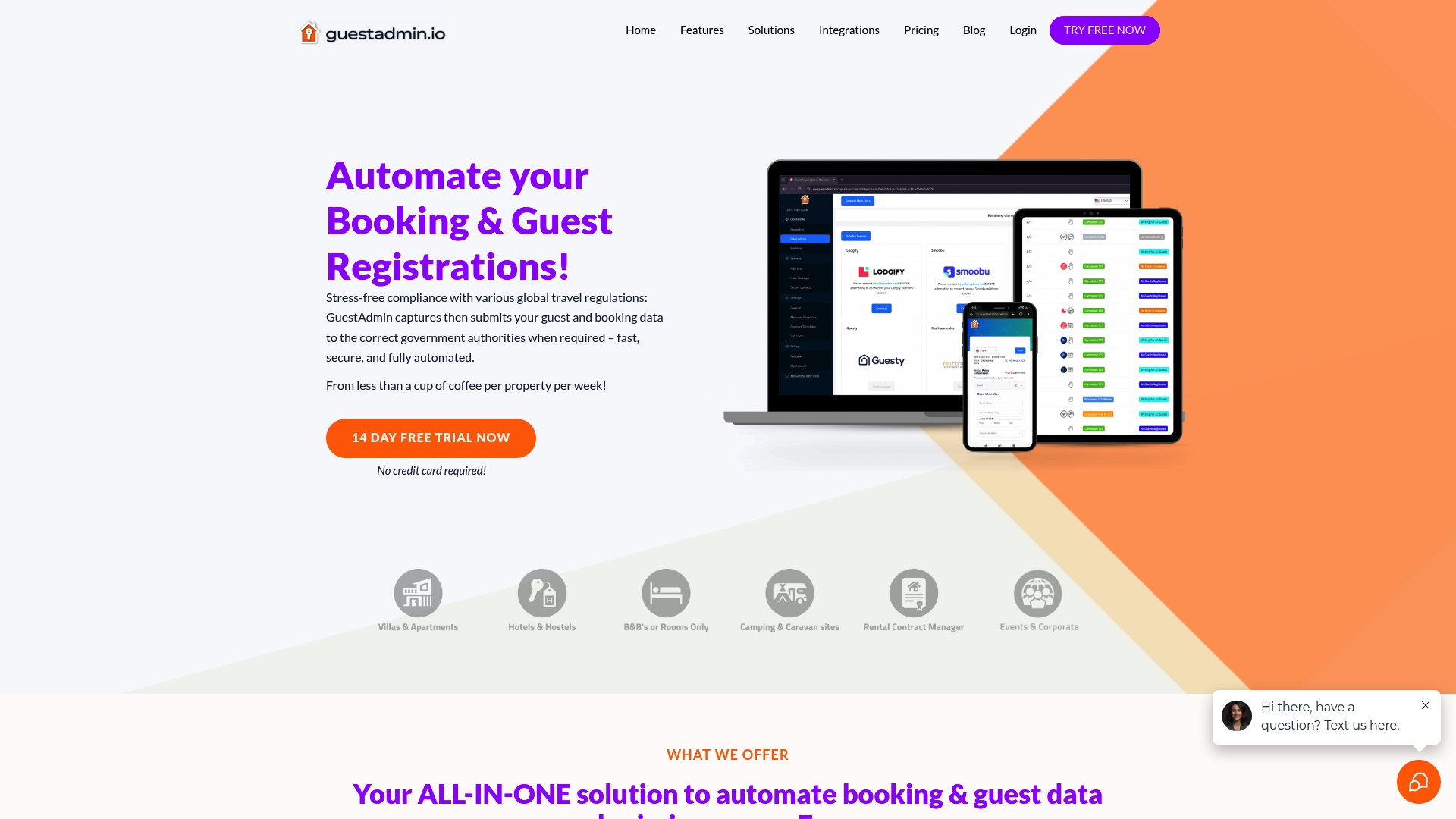
Take control of your compliance today by exploring how GuestAdmin.io empowers property managers to master regulatory demands effortlessly. Discover the difference with our real-time dashboards and automation tools designed to keep your guest data secure and your submissions timely. Don’t wait for compliance issues to escalate—visit GuestAdmin.io now and start your free trial to simplify your property management compliance journey.
Frequently Asked Questions
How can I ensure compliant guest data capture?
To ensure compliant guest data capture, define the minimum required data fields based on local regulations. Collect only the necessary information for each jurisdiction and use a primary data capture method, such as a form or portal, that consolidates all entries in one controlled location.
What steps should I take to integrate my booking platform with compliance automation?
To integrate your booking platform with compliance automation, identify the systems you use and check for direct integration options through APIs or webhooks. If direct integration is unavailable, set up a data synchronisation tool to automate the transfer of guest information on a regular schedule, reducing manual entry errors.
How do I verify submissions to authorities after data submission?
Verify submissions to authorities by checking for confirmation receipts immediately after you submit guest data. If no confirmation is received, follow up with the relevant authority within 48 hours to ensure your submission was processed successfully and to resolve any potential issues promptly.
What is the importance of archiving compliance records?
Archiving compliance records is crucial because it creates an auditable trail of your actions regarding guest data submissions. Organise each record systematically and regularly schedule reviews to ensure records are maintained according to retention deadlines and any obsolete information is deleted securely.
How can I automate compliance reporting effectively?
Automate compliance reporting by setting up your compliance platform to generate and submit reports on predefined schedules, such as weekly or monthly. This eliminates the need for manual checks and helps ensure that data is consistently submitted on time, reducing the risk of missed deadlines.
8 Comments
Data Privacy in Rentals: 50% Fewer GDPR Errors with Automation
[…] archiving protects historical guest data while meeting retention requirements. Compliance workflow best practices include automated archiving that deletes data after legal retention periods expire. This approach […]
Why data security matters in short-term rentals
[…] Best practices include real-time monitoring, integrated PMS and OTA systems, checklist-driven workflows, and blockchain for tamper-proof logs. Blockchain technology creates immutable audit trails where every data access or modification is permanently recorded and verifiable, eliminating disputes about compliance history. […]
Automate guest registration for effortless compliance
[…] developing or has completed integration with the relevant Single Digital Entry Points. Review your compliance workflow guide to understand exactly how these connections should be set up and […]
Implement group-based access control for safer, smarter properties - A To Z Locksmith Inc
[…] your property type will protect you from these slow-building vulnerabilities. External resources on compliance workflow tips can also help you build a clean paper trail for insurance and regulatory […]
Automate guest data for hassle-free compliance
[…] update their data structures and submission protocols to reflect legislative changes, so your compliance workflow stays current without constant manual […]
How to archive guest records: a compliance guide
[…] Master Compliance Workflow for Property Managers Easily […]
The role of PMS in compliance for European STR owners
[…] your registration data from your PMS and compare it against what each connected OTA displays. A compliance workflow built around this check prevents drift from accumulating […]
Trends in hospitality compliance 2026: the EU guide
[…] Tip: When reviewing your compliance workflow, add a specific step for verifying that your PMS address fields match the registered address format […]