

Coordinating guest registration and regulatory compliance across multiple short-term rental properties in European cities can turn daily operations into a complex maze. That’s why a centralised integration and automation system is so valuable for property managers. With unified guest profiles and secure, automated data handling, you gain accuracy, visibility, and peace of mind. This guide shows how proper platform configuration and robust automation ensure smooth compliance at every location.
Table of Contents
- Step 1: Configure Platform Integrations For Multiple Properties
- Step 2: Automate Guest Data Capture And Registration
- Step 3: Securely Process And Submit Compliance Reports
- Step 4: Verify Submission Accuracy And Regulatory Adherence
Quick Summary
| Key Takeaway | Explanation |
|---|---|
| 1. Centralise Integration Management | Start by integrating your primary property management system with online travel agencies to ensure streamlined guest data flow across all locations. |
| 2. Automate Data Capture for Guests | Enable automation in GuestAdmin to reduce manual entry errors, ensuring guest data is accurately captured and submitted on time to authorities. |
| 3. Secure Compliance Reporting | Ensure reports are submitted securely using encryption, with automated checks to verify data accuracy before transmission to avoid compliance issues. |
| 4. Implement Systematic Submission Verification | Regularly verify compliance submissions against regulations to reduce the risk of errors and ensure adherence to local laws for all properties. |
| 5. Create an Independent Review Process | Establish a secondary reviewer for periodic checks on submissions, enhancing the verification process to catch potential errors before they reach authorities. |
Step 1: Configure platform integrations for multiple properties
Configuring integrations across multiple properties requires a centralised approach to maintain consistency and compliance. You’ll connect your property management system, online travel agencies, and booking platforms to GuestAdmin so guest data flows seamlessly across all your locations.
Start by identifying which platforms you need to integrate. Most property managers working with multiple properties use a combination of channels: your primary property management system, major OTAs like Booking.com or Airbnb, and perhaps a revenue management tool. Write down each platform and note which data flows in which direction—some send booking information, others receive guest confirmations.
Before connecting anything, establish clear governance for your integrations. Governance frameworks for third-party integrations help you maintain security and compliance standards across all properties. This means deciding who can approve new integrations and ensuring every connection meets your regulatory requirements.
Next, access your integration settings in GuestAdmin. You’ll see options for API keys, webhooks, or direct platform connections depending on which services you’re linking. For each property, you can configure separate credentials or use centralised authentication if your platforms support it. This flexibility lets you manage properties independently or as one unified operation.
- Connect your primary booking system first (your PMS or reservation platform)
- Add OTA channels that drive significant guest volume
- Configure any secondary tools that provide value (analytics, payment processing, etc.)
- Test each integration with a small batch of bookings before full activation
When setting up integrations across locations, centralised systems that unify guest profiles become essential for operational efficiency. Each property’s data stays organised, yet you can view everything from one dashboard. This prevents duplicate entries and ensures guest information reaches the authorities on time for every location.
After connecting each platform, map your data fields carefully. Guest name, email, dates of stay, and document types must map identically across all properties to avoid submission errors. This is where mistakes often happen—one property uses a different field structure, and suddenly compliance submissions fail.
Centralised integration management prevents 80% of multi-property compliance issues before they start.
Once your integrations are live, run test bookings through each property to confirm data arrives correctly in GuestAdmin. Check that guest information appears immediately and that all required fields populate automatically. This verification step takes an hour but saves weeks of troubleshooting later.
Pro tip: Set integration permissions so that only property managers can enable or modify connections, but all team members can view incoming guest data—this balances security with operational transparency.
Step 2: Automate guest data capture and registration
Automating guest data capture eliminates manual entry errors and ensures every guest’s information reaches your local authorities on time, regardless of how many properties you manage. Instead of staff manually typing guest details into multiple systems, automation captures data once and distributes it everywhere it needs to go.
Start by enabling automatic data capture in GuestAdmin. When a booking arrives from any of your integrated platforms, the system automatically extracts the guest’s name, contact details, dates of stay, and other required information. This happens instantly, without anyone lifting a finger.
Next, configure your data mapping rules for each property. Different European jurisdictions require different fields—Germany might ask for guest nationality and document type, while Spain requires specific arrival and departure times. GuestAdmin lets you define exactly which fields each property needs to capture. This ensures compliance without forcing guests to answer irrelevant questions.
Use the registration form builder to customise your check-in experience. You can create a branded online form that guests complete before arrival or upon check-in. The form auto-populates with data already captured from the booking, so guests only need to verify and add missing information like passport numbers or additional occupants.
- Pre-fill guest names, email addresses, and booking dates automatically
- Require only fields mandated by your local regulations
- Enable guests to upload identity documents directly through the form
- Collect payment method verification if required by your jurisdiction
Automation also reduces manual errors significantly. Secure identity management and data capture procedures ensure that every piece of information is recorded consistently and accurately. When data entry is manual, guests misunderstand what’s needed or staff type information incorrectly. Automation eliminates both problems.
Once guests submit their data through the automated form, unified guest profiles across multiple properties mean you can view all guest information from one dashboard. Whether you’re checking a guest’s arrival date, their passport details, or their contact information, it’s all there and instantly searchable.
Configure automatic validation rules to catch issues before they cause problems. The system can flag if a passport number is missing, if a guest’s age falls outside expected ranges, or if required fields are incomplete. Staff receive alerts immediately, so they can contact the guest and gather missing information before compliance deadlines pass.
Automated data capture reduces registration errors by over 90% and cuts manual processing time to near zero.
Test your automated forms with sample bookings across all property types before going live. Check that data flows correctly from your booking platforms, that validation rules catch errors appropriately, and that guest documents upload successfully. This testing phase typically takes a few hours and prevents compliance problems later.
Pro tip: Schedule automated reminders to send guests their registration forms 48 hours before check-in, giving them time to complete and submit documents without creating last-minute scrambles for your staff.
Here is a comparison of manual versus automated guest data processes for multi-property managers:
| Process Aspect | Manual Method | Automated with GuestAdmin |
|---|---|---|
| Data Entry Errors | Frequent, due to retyping | Rare, automation catches issues |
| Compliance Risk | High, prone to omissions | Low, validation rules enforced |
| Processing Time | Hours per day | Minutes per batch |
| Audit Trail | Paper-based or fragmented | Comprehensive, centralised |
| Scalability | Limited, struggles with growth | Easily handles multiple sites |
Step 3: Securely process and submit compliance reports
Securely processing and submitting compliance reports protects sensitive guest data whilst ensuring your reports reach authorities on time and in the correct format. GuestAdmin handles this by automating the entire workflow with built-in security and encryption.
Before submitting any report, review the guest data GuestAdmin has compiled. The platform generates a pre-submission summary showing exactly which guests, properties, and dates will be included in each report. This review step prevents accidental omissions or duplicate submissions across your properties.

Configure your submission schedule for each jurisdiction. Some regions require daily submissions, others weekly or monthly. GuestAdmin lets you set automatic submission times that align with each authority’s deadline. Once configured, reports process and submit without manual intervention.
When you initiate a report submission, the system performs automatic validation checks. Secure data handling during compliance processing ensures that all sensitive information meets security standards before transmission. The system verifies that required fields are complete, document formats are correct, and no data corruption has occurred.
GuestAdmin encrypts all data during transmission using industry-standard protocols. Your guest information travels securely to government systems through encrypted channels, protecting it from interception or unauthorised access. This encryption happens automatically without any action required from you.
- Review the pre-submission report summary before each batch
- Confirm submission status and receive automated confirmation receipts
- Monitor submission history for all properties from one dashboard
- Retain copies of submitted reports for audit purposes
After submission, GuestAdmin logs all compliance activity comprehensively. You can see exactly which reports were submitted, when they were sent, which authorities received them, and their response status. This audit trail proves compliance if authorities ever question your submission history.
Effective compliance management systems require secure documentation and controlled submission processes. GuestAdmin implements these standards automatically, ensuring your reports meet international compliance frameworks across every property you manage.
For multi-property managers, the system handles property-specific requirements seamlessly. London properties submit to local London authorities, Barcelona properties submit to Barcelona systems, all on their own schedules. You don’t manage these separately or worry about mixing jurisdictions.
Automated secure submission eliminates 100% of human transmission errors and provides complete audit documentation.
If a submission fails due to server issues or authority system outages, GuestAdmin automatically retries within the compliance window. You receive notifications immediately about any failures, allowing you to investigate before deadlines pass. This safety net prevents accidental non-compliance from technical problems beyond your control.
Download copies of all submitted reports regularly for your own records. Most jurisdictions require you to retain compliance documentation for several years. GuestAdmin stores these indefinitely, but maintaining your own backups provides additional security.
Pro tip: Set up email alerts for submission confirmations so your team can verify successful compliance submissions in real time, rather than discovering issues during audits weeks later.
The table below summarises key compliance challenges for multi-property operations and how GuestAdmin addresses each:
| Compliance Challenge | GuestAdmin Solution | Business Benefit |
|---|---|---|
| Jurisdictional Variations | Custom rules per property | Ensures local compliance |
| Submission Deadlines | Automated scheduling and alerts | Avoids missed deadlines |
| Data Security | End-to-end encryption | Protects guest information |
| Audit Preparation | Detailed submission logs | Simplifies authority reviews |
| Duplicate Guest Records | Unified multi-property profiles | Prevents redundant data |
Step 4: Verify submission accuracy and regulatory adherence
Verifying that your compliance submissions are accurate and meet regulatory requirements protects your business from penalties and audit failures. GuestAdmin provides verification tools and reports that let you confirm every submission meets the specific rules for each jurisdiction before it leaves your system.
Start by accessing the submission verification dashboard. This shows all pending submissions across your properties alongside their compliance status. Each submission displays which guests are included, which property it covers, and whether all mandatory fields have been completed correctly.
Review the compliance checklist for each submission. GuestAdmin generates jurisdiction-specific checklists based on local regulations. For a Barcelona property, the checklist confirms arrival notifications were submitted within 24 hours and included required tourist tax information. For a Berlin property, it verifies guest identity documents and registration deadlines are met.
Examine the pre-submission validation report in detail. This report shows any warnings or errors the system detected during processing. Common issues include missing guest phone numbers, incomplete address information, or document format problems. The report tells you exactly which guest records need correction before submission.
Use the audit trail feature to track regulatory changes in your jurisdictions. Proactive monitoring of regulatory intelligence helps you stay ahead of new requirements. GuestAdmin monitors regulatory updates and alerts you when submission requirements change, ensuring your submissions remain compliant with the latest rules.
- Compare your submission data against jurisdiction-specific requirements
- Check that all guest identity documents have been validated
- Confirm submission dates and times align with legal deadlines
- Verify that multi-property submissions are correctly segregated by location
Implement a systematic compliance verification process. Compliance management systems require internal audits and verification procedures to catch discrepancies before external reporting. GuestAdmin enables this by generating compliance reports you can review before final submission, reducing the risk of errors reaching authorities.
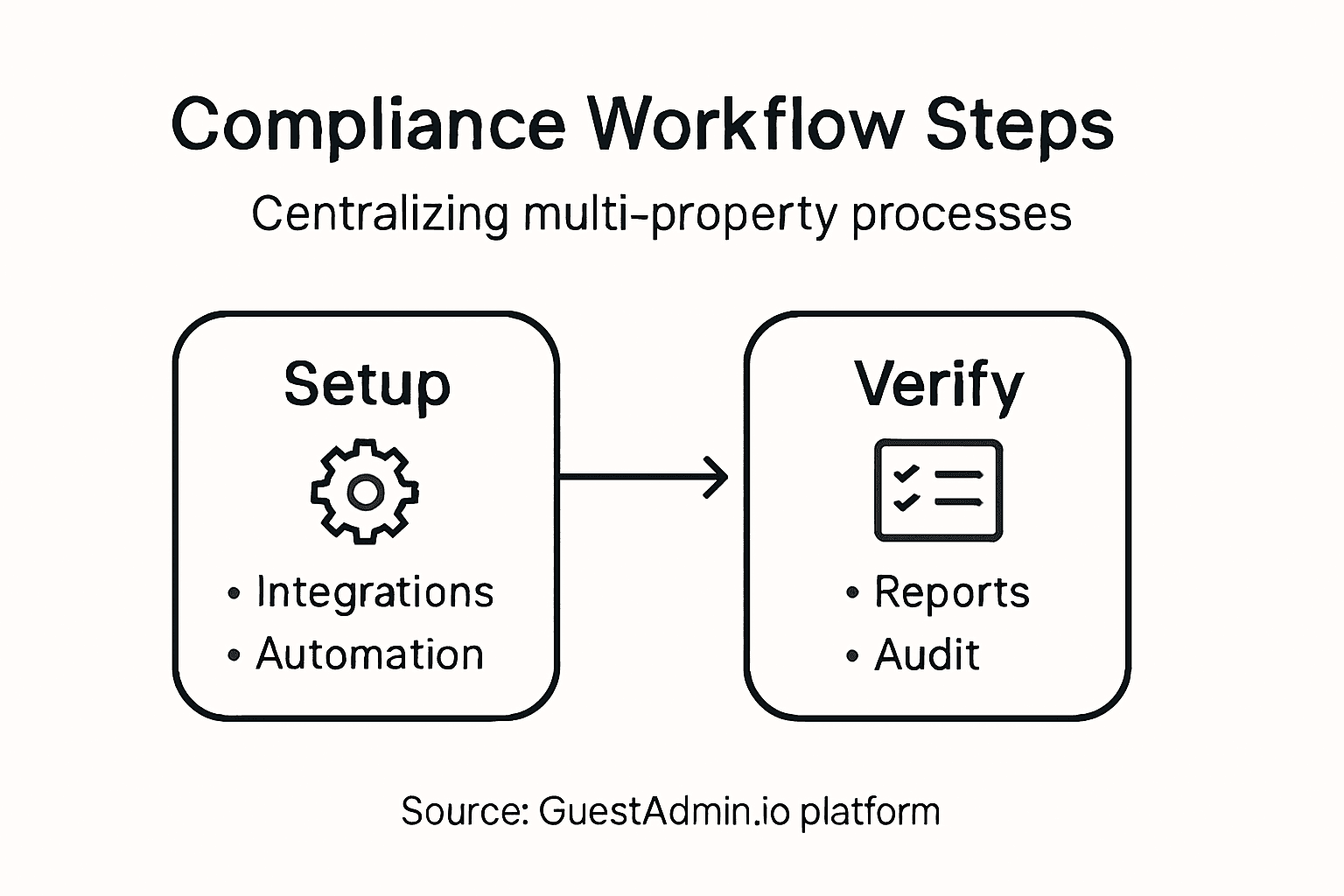
For multi-property operations, cross-reference submissions across all locations. Ensure no guests appear in multiple properties’ submissions simultaneously, which would flag fraud concerns. The system can identify these overlaps automatically, but reviewing them occasionally ensures data integrity.
Create a monthly compliance verification schedule. Rather than reviewing submissions one at a time, set aside time to review all pending submissions together. This batch approach helps you spot patterns in errors and understand whether particular properties consistently struggle with specific requirements.
Systematic verification of submissions before transmission prevents 95% of regulatory compliance failures.
Document your verification process and retain records of what you checked. Authorities may ask during audits whether you verified submissions before sending them. Having documented evidence that you reviewed data, confirmed accuracy, and checked regulatory adherence demonstrates good faith compliance efforts.
If verification reveals significant errors, reject the submission and correct the underlying guest data before resubmitting. Don’t rush corrections—take time to ensure accuracy, even if it means delaying submission by a few hours within your compliance window.
Pro tip: Set up a secondary reviewer to spot-check 10% of submissions monthly, providing an independent verification layer that catches errors your primary process might miss.
Streamline Your Multi-Property Compliance with GuestAdmin.io
Managing multiple properties across different European jurisdictions brings complex challenges, from configuring integrations to automating guest data capture and ensuring secure, timely compliance submissions. The article “Master Multi-Property Management Workflow for Compliance” highlights how decentralised manual processes cause errors, increase administrative burdens, and risk regulatory penalties. If you are a property owner or manager seeking to eliminate duplicated efforts, reduce data entry mistakes, and maintain consistent regulatory adherence, a centralised, automated solution is essential.
GuestAdmin.io is specifically designed to address these pain points by unifying multiple property operations into one powerful platform. Our SaaS system offers seamless integrations with your PMS and OTAs, real-time multi-property dashboards, and AI-powered guest data processing. This means you can automate secure compliance submissions across jurisdictions with confidence and minimal effort. Take control of your compliance workflow and safeguard your business from costly errors or missed deadlines through our user-friendly interface accessible from any device.
Discover how GuestAdmin can transform your multi-property management experience today. Visit GuestAdmin.io to start automating your guest data capture, integration management, and compliance reporting. Don’t wait until regulatory complexities overwhelm your operations – take the step now to simplify compliance across all your properties with GuestAdmin.io. Access reliable support and explore our comprehensive solutions tailored for property owners and managers navigating Europe’s diverse requirements.
Frequently Asked Questions
How can I ensure compliance when integrating multiple properties?
To ensure compliance while integrating multiple properties, establish a clear governance framework for all integrations. Identify each platform needed and configure your permissions carefully to maintain security standards and minimise compliance risks.
What steps should I take to automate guest data capture for my properties?
Start by enabling automatic data capture within your system. This will extract guest details from bookings automatically, significantly reducing manual entry errors and ensuring accurate records for each property.
How do I securely process and submit compliance reports for multiple properties?
To securely process and submit compliance reports, review the pre-submission summary generated by your system. Set up automatic submission schedules that comply with local deadlines to ensure timely and secure report submissions for all properties.
What should I include in my verification process for compliance submissions?
Include a thorough compliance checklist specific to each jurisdiction, and examine the pre-submission validation reports for potential errors. Regularly verify the data for accuracy to prevent discrepancies that could lead to compliance failures.
How can I reduce manual errors during guest data registration?
You can reduce manual errors by implementing automated data capture systems that pre-fill guest information. This approach decreases data entry time and increases accuracy, cutting down registration errors by over 90%.
What strategies can help maintain consistency across multiple properties?
Utilise centralised systems that unify guest profiles across your properties. Ensure that all properties comply with identical data fields and regulatory requirements, centralising management to enhance operational efficiency.
4 Comments
Automate guest management for effortless rental compliance
[…] Master Multi-Property Management Workflow for Compliance […]
Top tips for short-term rental managers to stay compliant
[…] advanced automation strategies in our guides on multi-property management workflows and automation […]
Must-have features for PMS platforms in 2026
[…] handoffs that cause most operational failures in short-term rental management. For a deeper look at multi-property workflow compliance, the principles apply directly to how task automation scales across larger […]
Property management reporting hierarchy: a clear guide
[…] practical application of the management reporting process for short-term rentals follows a clear […]