

TL;DR:
- Proper archiving of guest records ensures compliance with GDPR and national laws, reducing legal risks. Implementing metadata, role-based access, automated retention, and backup strategies creates a secure, retrievable, and auditable archive. Regular audits and updates maintain data integrity, supporting regulatory requirements and operational efficiency.
Knowing how to archive guest records correctly is one of the most pressing responsibilities you face as a property owner or manager in Europe. The regulatory environment keeps tightening. GDPR imposes strict obligations on how you collect, store, and eventually dispose of personal data. Local authorities across France, Italy, Spain, Portugal, and beyond require you to retain specific booking and identity information for defined periods. Get it wrong and you risk fines, failed inspections, or a data breach with nowhere to hide. This guide gives you a practical, step-by-step approach to storing guest records securely, staying compliant, and reducing the administrative pressure that comes with it.
Table of Contents
- Key takeaways
- How to archive guest records: prerequisites first
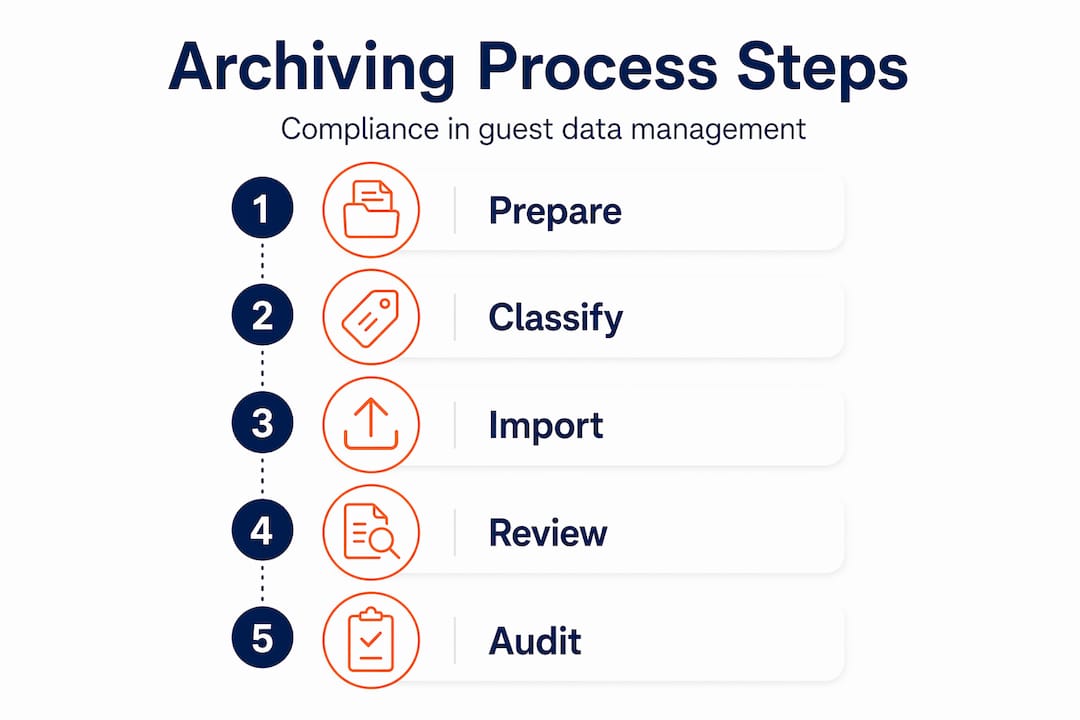
- Archiving guest records: the step-by-step process
- Common mistakes in managing archived guest data
- Auditing your archive for ongoing compliance
- My perspective on getting this right
- How Guestadmin simplifies guest record archiving
- FAQ
Key takeaways
| Point | Details |
|---|---|
| Know your retention obligations | GDPR and national laws set different retention periods; map them before building your archive. |
| Apply metadata from the start | Tagging records with category, dates, and confidentiality level makes retrieval and compliance far simpler. |
| Use the 3-2-1 backup rule | Keep three copies on two different media, with one stored offsite, to protect against data loss. |
| Automate lifecycle management | Automated retention schedules reduce human error and keep your archive aligned with current regulations. |
| Audit regularly and test restores | Scheduled compliance audits and tested backup restorations confirm your archive is actually working. |
How to archive guest records: prerequisites first
Before you touch a single file, you need the right foundations in place. Archiving without preparation creates a disorganised, non-compliant mess that is harder to fix later than it would have been to set up correctly from the start.
Understand your legal obligations
GDPR sets the baseline for any European short-term rental operation. It requires you to collect only what is necessary, store it securely, and delete it once the purpose for holding it has expired. Beyond GDPR, national laws add their own requirements. Italy’s Alloggiati Web system, France’s prefectoral declarations, and Portugal’s SEF reporting all carry specific retention periods that differ from one another. Your first step is to map these obligations for every jurisdiction in which you operate.
Guest data compliance varies significantly across European borders, so a one-size-fits-all approach will leave gaps.
Build a guest record retention policy
A written retention policy is not optional. It assigns ownership, defines retention periods per data category, and sets out the process for secure deletion. Without one, your team will make inconsistent decisions every time a question arises about a specific record.
A solid policy covers at least the following categories:
- Identity documents: Passport and ID copies, typically retained for 1 to 5 years depending on the country.
- Booking information: Reservation dates, property details, and booking source, often required for tax audit purposes for up to 7 years.
- Payment records: Transaction data governed by both tax law and PCI DSS guidance.
- Communication logs: Useful for dispute resolution, but with a shorter justified retention period.
- Incident or complaint records: Retained for as long as a potential legal claim may arise.
Choose the right archiving platform
Email inboxes and shared drives are not archives. Relying on email systems for guest record archiving creates fragility, poor searchability, and a lack of audit control. You need a dedicated platform that supports metadata tagging, role-based access, audit logging, and automated lifecycle management.

Look for a platform that integrates with your property management system or OTA channels so records flow in automatically rather than requiring manual uploads. A unified guest profile that aggregates PMS, booking, and check-in data with clear consent records makes archiving considerably cleaner.
Pro Tip: Set up your data classification system before you import any records. Retroactively tagging thousands of guest files is slow, error-prone, and often incomplete.
Archiving guest records: the step-by-step process
Once your foundations are in place, this is the workflow to follow. Work through these steps in order for each property you manage.
-
Collect records correctly at the source. Use digital check-in tools or registration forms that capture structured data fields rather than freeform text. Structured data is far easier to archive, search, and report on than scanned paper forms or unstructured PDFs.
-
Add metadata immediately on receipt. Clear metadata including category, dates, and confidentiality ensures future retrieval and supports compliance. For each guest record, assign at minimum: the data category (identity, booking, payment), the effective date of the stay, the property identifier, the applicable retention period, and the confidentiality classification.
-
Apply role-based access controls. Not everyone in your team needs access to passport scans or payment data. Least privilege and role-based access are standard principles for protecting archived records. Restrict access to those with a genuine operational need, and log every access event. Audit trails showing who accessed data, when, and what changes were made are a legal requirement under many European data protection frameworks.
-
Implement automated retention schedules. Manual deletion is unreliable. Automating archiving workflows and retention policies reduces human error and keeps your data lifecycle consistent. Configure your platform to flag records approaching their deletion date and to execute secure deletion automatically once the retention period expires and any hold reasons are cleared.
-
Apply immutable storage for critical records. For records that must remain unaltered for audit or legal purposes, apply object lock or WORM (write once, read many) policies at the storage layer. Immutability ensures data cannot be altered after archiving, which is particularly important if you ever face a regulatory inspection or legal dispute.
-
Back up your archive using the 3-2-1 rule. The 3-2-1 backup rule is the recognised standard for safeguarding archived data: three copies of your data, stored on two different media types, with one copy held offsite. For a short-term rental operator, this might mean your cloud archive platform, a local encrypted backup, and a geographically separate cloud region.
-
Segregate archive storage from live operational data. Mixing production data with archives increases risk and undermines the integrity of both. Use dedicated archive storage tiers, separate from your day-to-day booking database.
-
Document your secure disposal process. When a retention period expires, deletion must be verifiable. Generate a deletion log or certificate of destruction that records what was deleted, when, and by which process. This protects you if an authority later questions whether you held data beyond its permitted period.
Pro Tip: Schedule a quarterly review of records approaching their deletion date. Handling them in batches is far more manageable than dealing with individual expired records on a rolling basis.
Common mistakes in managing archived guest data
Even property managers with good intentions fall into predictable traps. Knowing where others go wrong is the fastest way to avoid the same problems yourself.
-
Inconsistent metadata. Records archived without proper tagging become unfindable within months. When an authority requests a specific guest’s data or you need to respond to a subject access request, inconsistent metadata turns a 10-minute task into a half-day ordeal.
-
Ignoring access control and audit logging. Many operators set up an archive folder and give everyone on the team full access. This creates accountability gaps and makes it almost impossible to demonstrate compliance if a breach occurs.
-
No offsite or immutable copies. A fire, flood, or ransomware attack on your primary storage can eliminate years of guest records overnight if you have not followed the 3-2-1 rule. The lack of immutable backups is one of the most common and costly oversights.
-
Using email as an archive. It bears repeating because it remains extremely common. An inbox is not a compliant archive. It offers no lifecycle management, poor access controls, and zero audit trail.
-
Forgetting to update retention policies. Regulations change. Business structures change. A retention policy written in 2022 may not reflect your current legal obligations in 2026. Regular reviews and updates to archiving policies are the only way to stay aligned with evolving requirements.
“Privacy governance now demands clear consent, transparent policies, and traceable audit trails to support regulatory claims.” From Check-In to Check-Out
Auditing your archive for ongoing compliance
Building an archive is not a one-time task. Maintaining it is an ongoing operational commitment, and the only way to know it is working is to test and review it regularly.
Start with your access logs. Review them monthly or quarterly to check for unusual activity, overly broad access, or gaps in the audit trail. If someone outside the expected user group has accessed sensitive guest records, you need to know about it before an authority does.
Test your backup restorations. Many property managers discover that their backups are broken or incomplete only when they actually need them. Running a restoration test twice a year takes minimal time and confirms that your offsite and immutable copies are genuinely recoverable.
Keep your booking data regulations understanding current. Regulatory requirements across European jurisdictions shift regularly, and your retention policy must shift with them. Assign a named owner to the policy and put a formal annual review date in the calendar.
Additional steps worth building into your audit cycle:
- Compare your actual archived data categories against what your retention policy specifies; discrepancies indicate process failures somewhere upstream.
- Review deletion logs to confirm that records past their retention period have been disposed of correctly.
- Check that all staff with archive access have completed relevant data protection training within the past 12 months.
- Prepare a brief internal compliance report summarising the audit findings. This serves as evidence of due diligence if you face an external inspection.
Pro Tip: Run a mock subject access request once a year. Ask yourself: if a guest requested all data held about them today, how long would it take you to compile a complete and accurate response? The answer tells you a great deal about the real state of your archive.
My perspective on getting this right
I have spoken with a significant number of property managers who treat guest record archiving as a back-office chore to handle when time allows. In my experience, that approach is what leads to the scramble when an authority requests documentation or a guest submits a formal data request.
What I have found is that the complexity of archiving is almost always underestimated at the start. Most operators assume that saving files in a named folder is sufficient. It is not. The gap between saving a file and having a genuinely compliant, auditable, and retrievable archive is where most operators get caught out.
The lesson I keep coming back to is this: the time to build proper systems is before you need them, not during an inspection. Integrating archiving into your daily check-in workflow rather than treating it as a periodic tidy-up transforms the compliance burden from overwhelming to manageable.
Automation is the most practical solution I have seen for operators managing more than a handful of properties. Manual processes break under volume. Software that captures, classifies, and archives guest data automatically removes the dependency on individual team members remembering to do the right thing. That reliability matters far more than people give it credit for.
Treat archiving as a core operational function. It belongs in your onboarding checklists, your staff training, and your annual compliance calendar. Not as an afterthought.
— Alex
How Guestadmin simplifies guest record archiving
Managing compliant guest record archiving across multiple properties in different European countries is genuinely complex. Guestadmin is built specifically for property owners and managers in this situation.

The platform captures guest and booking data at the point of check-in, processes it through an AI-powered workflow, and archives it with full metadata, audit trails, and GDPR-compliant access controls. Automated retention schedules mean records are flagged and disposed of correctly without manual intervention. For managers running multiple properties, Guestadmin’s multi-property management capabilities keep every property’s archive consistent and auditable from a single dashboard.
If you want to remove the administrative burden of guest data compliance, Guestadmin provides automated guest data compliance designed for the realities of the European short-term rental market.
FAQ
What is the correct retention period for guest records in Europe?
Retention periods vary by country and data type. GDPR requires you to hold data only as long as necessary for its original purpose, but national tax and reporting laws often set specific minimums, commonly between one and seven years depending on the jurisdiction.
Can I use cloud storage for archiving guest records?
Yes, provided the cloud platform offers encryption, access controls, audit logging, and data residency within the EU. The storage must also support automated lifecycle management and verifiable deletion to meet GDPR requirements.
Why is email unsuitable for storing guest records officially?
Email lacks lifecycle management, consistent access controls, and a reliable audit trail. It cannot enforce retention schedules or produce verifiable deletion records, all of which are required for compliant guest record archiving.
How often should I review my guest record retention policy?
At minimum once per year, and also whenever a relevant regulation changes or your business structure changes. Assign a named owner to the policy and record the date of each review as evidence of due diligence.
What is the 3-2-1 backup rule for guest data archives?
The 3-2-1 rule means maintaining three copies of your data, stored on two different media types, with one copy held offsite or in a separate cloud region. It is the recognised standard for protecting archived records against loss or ransomware.
One Comment
How to collect guest data: a compliance guide
[…] a step-by-step approach to retention, the guest records archive guide from Guestadmin explains how to set GDPR-aligned periods for each data […]