

TL;DR:
- EU regulation requires digital registration and monthly booking data sharing by May 2026.
- Proper system setup with PMS, OTA accounts, and data mapping is essential for compliance.
- Automation improves accuracy, reduces errors, and ensures ongoing compliance readiness.
Managing booking data manually is no longer just inefficient — it is a genuine compliance risk. With EU Regulation 2024/1028 requiring digital registration, monthly data sharing, and use of the Single Digital Entry Points (SDEP) platform from May 2026, property managers across Europe face real consequences for unsynced or incomplete records. Fines, delisted properties, and failed submissions are all on the table. This guide walks you through exactly how to synchronise your booking data across platforms, avoid the most common pitfalls, and build a compliance workflow that holds up as regulations continue to evolve.
Table of Contents
- What you need before you start syncing booking data
- Step-by-step: How to sync booking data across platforms
- Avoiding common mistakes: Data security, errors, and compliance risks
- Verification and ongoing maintenance
- Why mastering booking data sync sets you apart in 2026
- Streamline compliance with powerful automation tools
- Frequently asked questions
Key Takeaways
| Point | Details |
|---|---|
| Automation ensures compliance | Syncing booking data automatically drastically improves compliance with new EU rules and minimises manual errors. |
| Right tools save time | Using property management system integrations reduces admin workload and helps maintain a single source of truth for records. |
| Verification is essential | Regular checks and audits ensure your synced data remains accurate, reducing risk of fines or registration issues. |
| Be proactive with maintenance | Stay ahead of changing regulations by updating workflows and software as compliance rules evolve. |
What you need before you start syncing booking data
Before you connect a single platform, you need the right foundations in place. Rushing into syncing without the correct accounts, data fields, and registration details is a fast route to errors and failed submissions.
The table below outlines the essential tools and accounts you will need:
| Tool or account | Purpose |
|---|---|
| Property Management System (PMS) | Central hub for booking records and guest data |
| Online Travel Agency (OTA) accounts | Source of booking data (Airbnb, Booking.com, etc.) |
| SDEP access | Required for monthly data submissions to authorities |
| Registration numbers | Mandatory identifier for each listed property |
| GDPR-compliant data storage | Secure archiving of guest records |
EU Regulation 2024/1028 mandates digital registration numbers and monthly platform data sharing for all short-term rental operators. If you manage properties across multiple countries, each jurisdiction may issue its own registration number, so keep these organised from the outset.
Here are the typical compliance prerequisites for EU property managers:
- Valid registration number for each property, issued by the relevant local authority
- Active accounts on all OTAs where your properties are listed
- A PMS capable of exporting or syncing booking data in structured formats
- Access to your country’s SDEP portal or a platform that submits on your behalf
- A clear data retention policy that meets GDPR requirements
- Guest data fields including full name, nationality, document number, check-in and check-out dates
Understanding key compliance terms before you begin will save you significant time when configuring your systems. Terms like “data mapping,” “field validation,” and “submission cadence” come up repeatedly in setup guides and support documentation.
Pro Tip: Store all property registration numbers directly inside your PMS as a custom field. This way, every booking record automatically carries the correct identifier, and you will never need to cross-reference a separate spreadsheet when preparing monthly submissions.
Once your accounts are active and your registration numbers are in place, you are ready to start the actual syncing process.
Step-by-step: How to sync booking data across platforms
With your systems and requirements in place, it is time to get practical with the actual syncing process. The approach you take will depend on the size of your portfolio and the complexity of your platform mix.
Step 1: Connect your OTAs to your PMS
Log into your PMS and use the integrations or channel manager section to link each OTA account. Most modern PMS platforms support direct API connections with Airbnb, Booking.com, and Vrbo.
Step 2: Map your data fields
Ensure that guest name, nationality, document type, check-in date, check-out date, and property registration number all map correctly between your OTA and PMS. Mismatched fields are the leading cause of incomplete submissions.
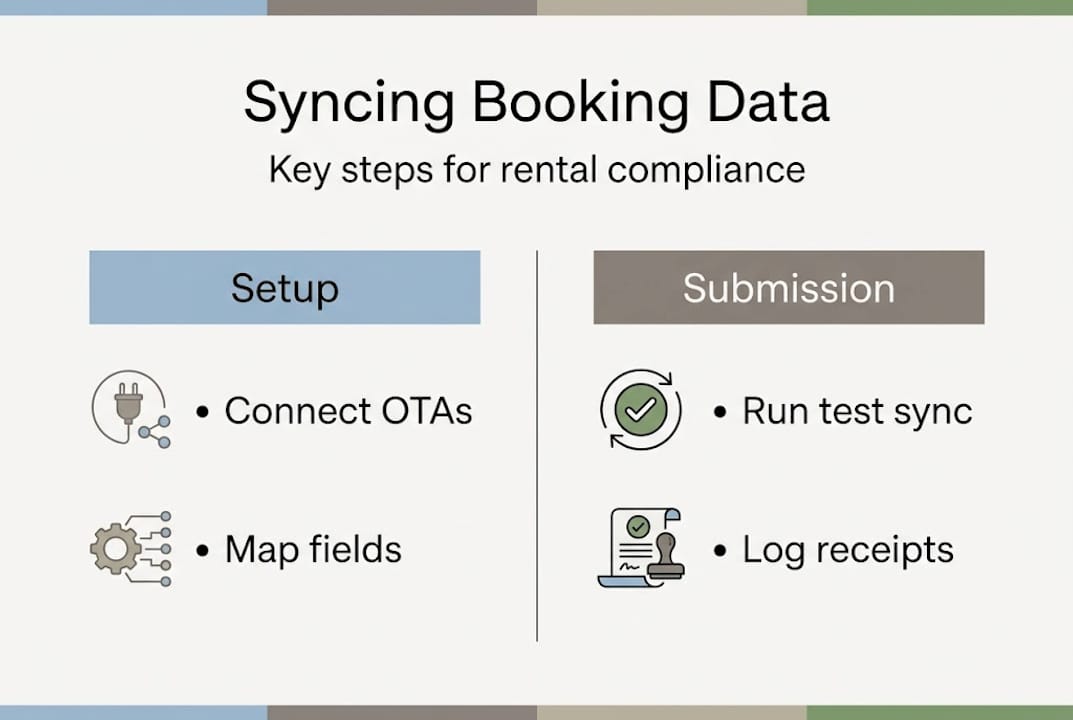
Step 3: Run a test sync
Before going live, test with dummy bookings to confirm that all fields transfer correctly and no data is dropped. This is especially important if you are connecting multiple OTAs simultaneously.
Step 4: Configure automated submission
Set up your PMS or compliance platform to submit data to the SDEP automatically on a monthly basis. Automation via PMS/OTA API integrations captures and syncs booking data while ensuring compliance without manual intervention.
Step 5: Confirm receipt and log submissions
After each submission, save the confirmation receipt in your records. This is your evidence of compliance if authorities ever request it.
Not all syncing methods are equal. Here is a quick comparison:
| Method | Best for | Compliance suitability |
|---|---|---|
| iCal sync | Small portfolios, basic availability | Limited — no guest data transfer |
| Channel manager | Medium portfolios, multi-OTA | Good for availability, partial data |
| PMS API integration | Large or complex portfolios | Best — full data sync and submission |
iCal may suffice for small portfolios, but channel managers are needed for complex, multi-platform compliance. If you manage more than a handful of properties, a full PMS integration is the only realistic path to consistent, audit-ready data.
Manual download and upload of booking data may still be necessary in rare cases, such as when an OTA does not support API connections. In these situations, export CSV files directly from the OTA dashboard and import them into your PMS on a weekly basis to minimise gaps.
Pro Tip: Always test your sync workflow with dummy bookings before sharing live guest data. This catches field mapping errors and integration gaps before they become compliance failures.
Avoiding common mistakes: Data security, errors, and compliance risks
Once syncing is active, oversight is key to maintaining compliance and avoiding setbacks. Even well-configured systems can develop problems over time, particularly when OTAs update their APIs or local regulations change.
The most common errors property managers encounter include:
- Double bookings caused by delayed sync between OTAs and the PMS
- Mismatched guest data where name formats or document types differ between platforms
- Expired registration numbers that have not been updated in the PMS
- Incomplete guest records missing nationality or document details
- Non-GDPR-compliant storage of guest data in unsecured spreadsheets or email threads
- Missed monthly submissions due to manual processes or calendar oversights
Automation reduces admin time by 40 to 60%, cuts errors by over 50%, and increases compliance rates to nearly 100%. For managers still relying on manual processes, those numbers represent a significant and measurable risk.
Incomplete guest data is particularly problematic. If a submission reaches the SDEP with missing fields, it is typically rejected outright, and you may face penalties for late or failed reporting. Data security in rentals is equally important — storing guest passport numbers or personal details in unencrypted files is a GDPR violation, regardless of whether your bookings are synced correctly.
Effective mitigation strategies include:
- Running monthly reconciliation reports to compare bookings across all platforms
- Testing workflows with dummy data after any system update or OTA API change
- Using a GDPR automation tool to manage data retention and deletion schedules
- Keeping a central log of all registration numbers with renewal dates clearly marked
- Setting up automated alerts for failed submissions or sync errors
The goal is to build a system that flags problems before they become compliance failures, not after.
Verification and ongoing maintenance
To ensure you always stay in step with regulations, make verification and maintenance a routine part of your operations. Syncing booking data is not a one-time setup task — it requires regular attention.
Here is a practical verification and maintenance schedule:
- Weekly: Reconcile booking counts between your PMS and each OTA. Any discrepancy of more than one or two records warrants immediate investigation.
- Monthly: Review all submitted SDEP records and confirm they match your PMS data. Check that registration numbers are current and that no properties have lapsed.
- Quarterly: Run a full audit of your data fields, integration connections, and submission logs. Test at least one dummy booking through the entire workflow.
- Annually: Review your GDPR data retention policy and update it to reflect any regulatory changes. Renew registration numbers where required.
- As needed: Monitor official EU and national government channels for updates to SDEP requirements or data field specifications.
Managers are considered hosts under EU Regulation 2024/1028 and must ensure PMS and OTA data parity as a single source of truth. This means your PMS record must always match what was submitted to the SDEP, with no unexplained gaps or discrepancies.
Monitoring for regulatory changes is often overlooked. EU member states are implementing SDEP requirements at different speeds, and local authorities may add supplementary data fields or adjust submission deadlines. Subscribe to industry newsletters, follow your national tourism authority, and review your guest registration compliance processes at least twice a year.

Pro Tip: Set a recurring calendar reminder on the first working day of each month to review your SDEP submissions and reconcile your PMS data. Treating this as a fixed appointment, rather than an ad hoc task, dramatically reduces the chance of a missed submission.
Why mastering booking data sync sets you apart in 2026
Most property managers approach booking data sync as a compliance checkbox. Get registered, connect the platforms, submit the data, move on. That mindset works until it doesn’t, and in 2026, the margin for error is shrinking.
The managers who will thrive are those who treat data sync as a strategic foundation, not a back-office burden. When your booking data is clean, consistent, and automatically reconciled across every platform, you gain something beyond compliance. You gain visibility. You can spot revenue gaps, identify high-performing properties, and respond to regulatory changes without scrambling.
We have seen what happens when syncing is treated as a last-minute task. Systems fail during peak season. Submissions are rejected. Properties get flagged. The cost of fixing those problems is always higher than the cost of building a proper system in the first place.
Automation’s impact on compliance is not just about saving time — it is about building resilience. As EU rules evolve further, managers with automated, well-maintained systems will adapt quickly. Those relying on manual processes will face each new requirement as a fresh crisis. The competitive advantage belongs to those who are already ready.
Streamline compliance with powerful automation tools
Ready to take action? GuestAdmin.io is built specifically for property managers and owners navigating the complexity of European short-term rental compliance.
Whether you are managing a single property or a large portfolio, GuestAdmin automates booking data capture, guest record submission, and GDPR-compliant archiving — all from one dashboard. Explore how automating hotel compliance reduces risk and saves hours every month. If you manage multiple properties, see how multi-property compliance works at scale. Not sure which setup suits your operation? Browse the available property management software options to find the right fit. Book a demo today and see how effortless compliance can be.
Frequently asked questions
What are the minimum data fields required for EU booking compliance syncing?
You must include your property’s registration number, address, stay dates, and guest count, and submit these monthly via the SDEP platform. Digital registration numbers and monthly SDEP submissions are mandatory from May 2026 under EU Regulation 2024/1028.
Is manual booking data entry still allowed for small property portfolios?
Manual entry and basic iCal sync are technically viable for very small portfolios, but they carry higher risks of errors and missed submissions. Basic iCal sync suits small portfolios but becomes impractical as booking volume and compliance demands increase.
How often should I audit my synced booking data for errors?
Monthly audits are the minimum recommended standard, with quarterly full-system checks to catch integration gaps and data mismatches. Regular audits and dummy workflow testing are the most reliable way to prevent compliance failures before they occur.
What’s the ROI of moving to automated booking data sync for compliance?
Automation reduces admin time by up to 60%, cuts errors by more than half, and pushes compliance rates from around 70 to 85% up to nearly 100%. The admin time reduction of 40 to 60% alone typically justifies the investment within the first few months of use.